Type Conversion
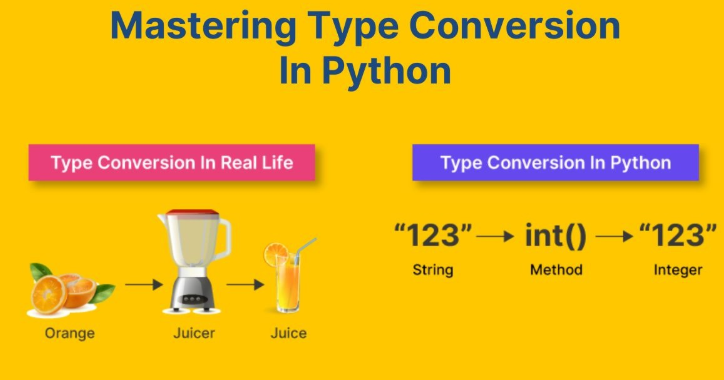
Type Conversion is the process of changing a value from one data type to another data type.
For example:
- converting a string into an integer
- converting an integer into a string
- converting an integer into a float
- converting a number into Boolean
Example
x = "10"
y = int(x)

print(y + 5)
Output
15
The string "10" is converted into an integer.
Real-Time Scenario
String-to-integer conversion is used in:
- online forms
- ATM systems
- age verification systems
- calculator applications
Why Type Conversion is Important
Type conversion is important because different operations require compatible data types.
For example:
- mathematical operations need numbers
- concatenation operations need strings
- conditions require Boolean values
Without proper conversion, Python may produce errors or unexpected outputs.
Why Do We Use Type Conversion?
Type conversion helps us:
- Perform calculations
- Work with different data types
- Prevent errors
- Make programs accurate
Types of Type Conversion
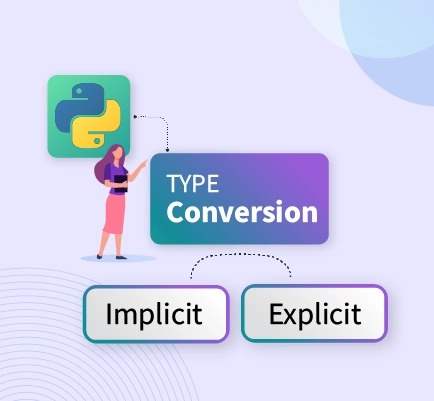
There are two types of type conversion:
- Implicit Type Conversion (Automatic)
- Explicit Type Conversion (Manual)
1. Implicit Type Conversion (Automatic)
What is Implicit Conversion?
Implicit conversion happens automatically by Python.
When different data types are used together, Python may convert one type automatically.
Example
x = 5
y = 2.5

result = x + y
print(result)
Output
7.5
Python converts:
5 → 5.0
automatically.
About Implicit Conversion
- Done automatically
- No function needed
- Happens during operations
2. Explicit Type Conversion (Manual)
What is Explicit Conversion?
Explicit conversion means manually changing a data type using functions.
Python provides built-in conversion functions.
Common Conversion Functions
int()→ Converts to integerfloat()→ Converts to floatstr()→ Converts to stringbool()→ Converts to boolean
Examples of Explicit Conversion
Convert String to Integer
x = "10"
y = int(x)

print(y + 5)
Output:
15Convert Integer to Float
x = 10
y = float(x)

print(y)
Output:
10.0Convert Number to String
x = 25
y = str(x)

print(y)
Output:
25Important Functions Used for Type Conversion
| Function | Purpose |
|---|---|
| int() | Converts value to integer |
| float() | Converts value to float |
| str() | Converts value to string |
| bool() | Converts value to Boolean |
Practical Example
Think of type conversion like converting:
- Liters to milliliters
- Numbers into words
Python also converts data types when needed.
Implicit vs Explicit Conversion
| Implicit Conversion | Explicit Conversion |
|---|---|
| Automatic | Manual |
| No function needed | Uses functions |
| Happens during operations | Done when required |
Invalid Conversion Example
x = "hello"
y = int(x)
This gives an error because text cannot be converted into a number.
Why This Conversion is Useful
This conversion is mainly used for:
- displaying messages
- printing reports
- concatenating text and numbers
Common Beginner Mistakes
1. Trying to Add String and Integer
Incorrect
age = 10
print("Age is " + age)
This produces an error.
Correct Method
age = 10
print("Age is " + str(age))
2. Invalid Integer Conversion
Incorrect Example
num = "hello"
print(int(num))
Summary
Type Conversion in Python is the process of changing one data type into another.
Python provides built-in functions such as:
int()float()str()bool()
These functions help programmers perform calculations, display messages, process user input, and build real-world applications correctly.
Understanding type conversion is very important because almost every Python application uses data conversion in some form.